other · 11 min read
AI Workflow Automation for Small Businesses: Use Cases and Feature Taxonomy
Learn how AI workflow automation connects apps, runs event-driven processes, uses agents and AI processing, and provides approvals, permissions, testing, monitoring, and audit controls.
Updated 7/30/2026
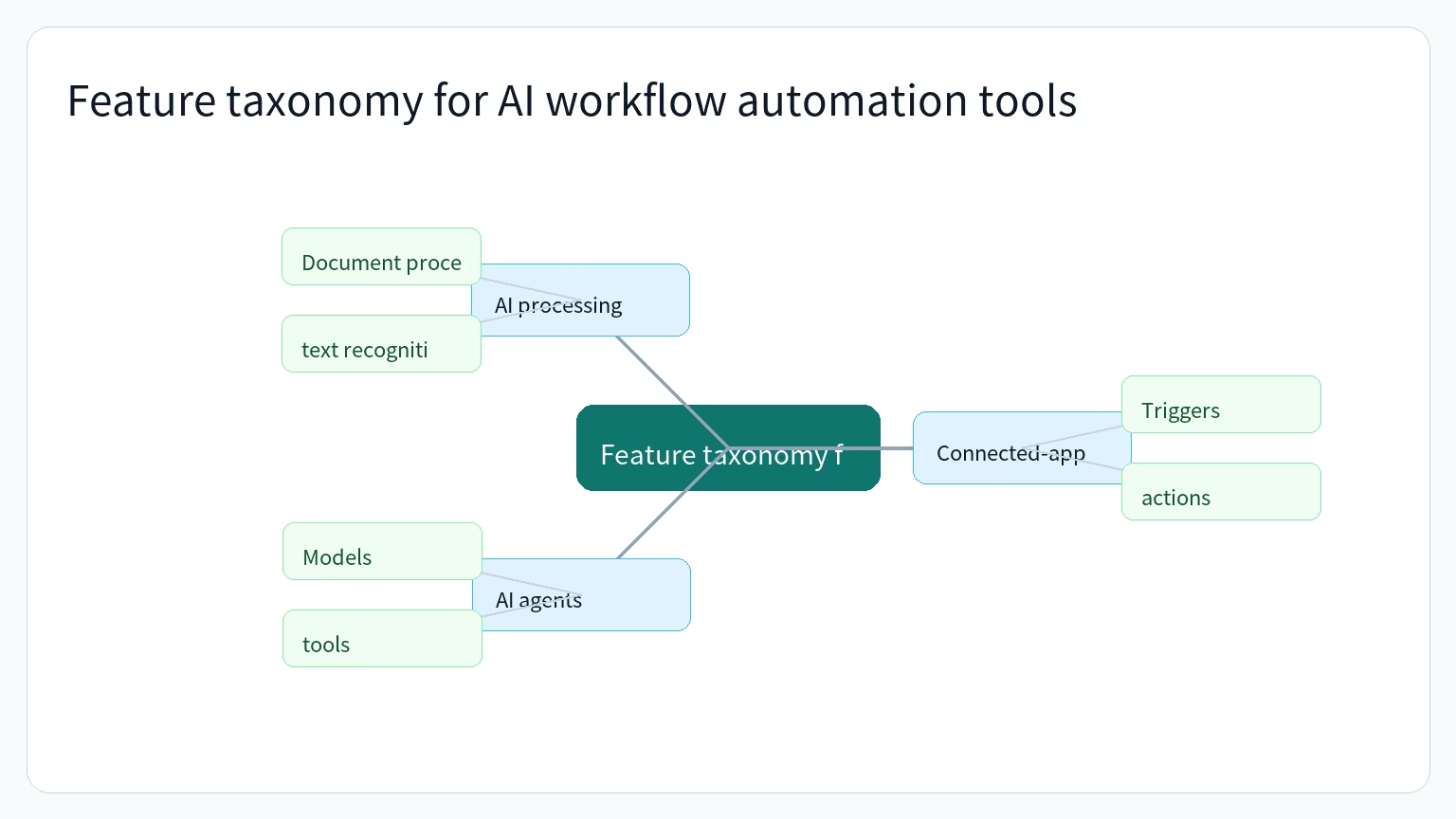
AI workflow automation can connect the applications a business already uses, respond to events or schedules, and perform actions across services. For a small business, the relevant question is not which vendor is universally best, but which combination of workflow capabilities and controls matches the work that needs to be automated.
This guide organizes the landscape into connected-app workflows, AI agents, AI processing, operational use cases, and control mechanisms.
What AI workflow automation tools can help small businesses automate
Workflow automation uses software to execute a series of business steps when defined events or conditions occur. Those steps can include sending messages, creating follow-up tasks, updating records, and triggering actions in connected applications.
Documented examples span finance, operations, sales, marketing, human resources, customer service, lead management, project work, document processing, and customer relationship management. Examples include planning payroll, reconciling financial records, following up on invoices, preparing marketing campaigns, triaging leads, routing support tickets, processing documents, and updating CRM data.
Anthropic describes workflows for planning payroll, reconciling books against settlements, preparing a profit-and-loss statement, analyzing margins, preparing for month-end, reviewing contracts, triaging leads, and preparing marketing campaigns. The workflows are designed to run inside tools such as QuickBooks, PayPal, HubSpot, Canva, Docusign, Google Workspace, and Microsoft 365.
Event-driven, scheduled, and manually started workflows
The trigger is the condition that starts an automation. Microsoft Power Automate documents three cloud-flow types: automated flows triggered by events, instant flows started with a button, and scheduled flows that run at a specified time or frequency.
Examples of event triggers include the arrival of an email or a mention of a company on social media. HubSpot documents additional enrollment conditions such as a form submission, a deal moving to a new stage, a ticket-status or service-level change, a payment-status change, and an integration event.
Once a record enters a workflow, the system can perform one or more actions. HubSpot describes actions such as sending an email or internal notification, creating and assigning tasks, rotating deal ownership, updating CRM records, routing or escalating tickets, synchronizing properties, and calling webhooks.
Operational use cases across business functions
The same trigger-and-action pattern can be applied to different business functions. Marketing workflows can respond to form submissions, page views, campaign engagement, or list changes. Sales workflows can respond to deal-stage changes, contact-property updates, form submissions, or meeting bookings. Service workflows can respond to ticket changes, service-level breaches, feedback submissions, or conversation properties.
Operations and data workflows can respond to property changes, custom-object updates, payment-status changes, and integration events. The resulting actions can format and clean data, synchronize records, update associations, create reports, and send information to connected applications.
Feature taxonomy for AI workflow automation tools
A practical taxonomy separates five capability groups:
| Capability group | Role in an automation | Examples of documented capabilities |
|---|---|---|
| Connected-app workflows | Move data or trigger actions between applications and services | Triggers, actions, records, connectors, webhooks, delays, branches, and templates |
| Process automation | Coordinate repeatable business logic | Cloud flows, desktop automation, robotic process automation, approvals, and orchestration |
| AI agents | Handle more open-ended tasks by selecting tools or actions | Models, instructions, tools, knowledge sources, memory, schedules, and delegated agents |
| AI processing | Apply models within a broader workflow | Document processing, classification, entity extraction, sentiment analysis, translation, prediction, and text generation |
| Operational controls | Limit, test, observe, and review automation | Permissions, human approval, input filtering, output validation, logs, monitoring, versioning, and governance |
Connected-app and process automation
Connected-app automation coordinates a repeatable process through defined triggers and actions. Power Automate describes cloud flows as workflows that connect apps and services, respond to events or times, and perform actions across multiple services. HubSpot describes a similar structure using triggers, actions, and the records acted upon.
A workflow may also include delays, conditional branches, reusable templates, records, webhooks, and connectors. These components allow a process to wait for a date or condition, follow different paths based on data, and send information to another system.
Process automation can extend beyond cloud applications. Microsoft documents desktop flows using robotic process automation and describes automation across cloud services, desktop applications, and websites. It also documents attended automation that includes human interaction and unattended automation that runs in the background.
AI agents and tool use
An AI agent differs from a fixed workflow because it can use instructions and available capabilities to determine how to proceed with a task. n8n describes an agent as an autonomous assistant configured with a language model, instructions, and capabilities such as tools, skills, and access to a knowledge base.
n8n also describes an agent reasoning loop in which the agent reads instructions and a request, decides whether to call a tool, search a knowledge base, hand work to another agent, or ask a follow-up question, and continues until it produces a response. Its documented agent components include models, instructions, tools, skills, channels, schedules, sub-agents, knowledge bases, and memory.
Zapier describes agents as AI-powered assistants that can perform actions independently or when a person interacts with them. Its setup flow allows a user to describe triggers, tasks, and the applications an agent should use, then configure the trigger, tools, and knowledge sources before testing and publishing.
The n8n AI Agent node requires a connected chat model and at least one tool. The agent decides which tool to call to complete a task, and the tool can retrieve information or perform an action through an external service or API.
AI processing inside workflows
AI does not have to control an entire process. It can also operate as a defined step inside a broader workflow. Microsoft documents AI Builder capabilities for document processing, text recognition, classification, entity extraction, sentiment analysis, language detection, translation, image description, prediction, and text generation.
These capabilities can support tasks such as extracting information from invoices, receipts, identity documents, or business cards; recognizing text in an image or PDF; classifying text; identifying key phrases; detecting sentiment; translating text; and generating a description of an image.
Small-business workflow examples by business need
The best capability category depends on the business process. A process with stable triggers and repeatable steps may fit explicit workflow logic. A task that requires selecting among tools or responding to changing context may fit an agent. A document or text-handling step may fit a specialized AI processing action.
Finance and administrative work
Anthropic documents small-business workflows for planning payroll, reconciling books against payment settlements, forecasting cash position, ranking overdue items, and preparing reminders for approval. It also describes month-end workflows that reconcile records, flag mismatches, produce a plain-English profit-and-loss statement, and export a close packet for an accountant.
Other documented finance-related workflows include invoice chasing, margin analysis, tax-season organization, and cash-flow work. These examples show how connected applications and approval steps can be combined around recurring administrative processes.
Marketing, sales, and customer work
Marketing and sales workflows can connect customer signals to follow-up actions. HubSpot documents workflows that enroll contacts after demo or pricing-form submissions, send confirmation messages, notify the appropriate sales representative, and create follow-up tasks.
HubSpot also documents lead scoring and lifecycle updates based on activity such as downloading a pricing guide, clicking a follow-up email, or revisiting a pricing page. Other examples include creating and assigning tasks when a deal is created, rotating lead ownership, updating pipeline stages, and enrolling contacts in sequences.
Customer-service workflows can route and escalate tickets, create support tasks, send follow-up surveys, update ticket properties, and respond to service-level events. Zapier lists lead management, sales-pipeline automation, marketing campaigns, customer support, project management, and ticket or incident handling as workflow use cases.
Anthropic documents lead triage, campaign analysis, campaign preparation, campaign attribution, customer-pulse reporting, and content-strategy workflows. Salesforce documents agent use cases such as qualifying inbound leads, updating opportunities, answering customer questions, resolving cases, routing incoming calls, scheduling appointments, and escalating complex issues to human agents.
Data, documents, and internal operations
Data workflows can synchronize information between applications, update CRM records, maintain associations, and trigger downstream processes. HubSpot documents property synchronization, data formatting and cleaning, CRM updates, webhooks, and connections to billing, accounting, project-management, and other systems.
Document and image workflows can use AI processing to extract information, recognize text, classify content, detect entities, analyze sentiment, generate descriptions, and make predictions. Power Automate documents these capabilities as AI Builder actions that can be used within flows.
Operational workflows can also combine AI with explicit logic, integrations, code, and human approvals. n8n describes workflows that blend integrations, AI agents, human approvals, and code, while Microsoft describes orchestration, process mining, desktop automation, cloud automation, and built-in AI processing as parts of its automation platform.
Controls to evaluate before deploying automation
Automation capabilities should be evaluated together with the controls that define what the system can access, when it can act, and how its behavior can be reviewed. Relevant controls include scope and instructions, knowledge-source management, testing, permissions, approval points, monitoring, error handling, auditability, and versioning.
Instructions, scope, and testing
Zapier recommends detailed instructions that define when an agent should activate, break complex tasks into specific steps, and provide relevant context. It also recommends keeping an agent focused on a limited scope and limiting the number of related actions it handles.
Before deployment, Zapier recommends testing with real workflow data, covering unusual or unexpected inputs, verifying connected applications, and monitoring initial executions closely. These checks are intended to identify edge cases and refine behavior before the agent affects live workflows.
A useful evaluation table is:
| Evaluation area | Questions to ask |
|---|---|
| Trigger definition | Is it clear whether the process starts from an event, a button, a schedule, or a record condition? |
| Action scope | Are the permitted actions and connected applications limited to the task? |
| Data context | Are the required records, documents, or knowledge sources available and current? |
| Test coverage | Have real examples, unusual inputs, and connected-app behavior been checked? |
| Initial operation | Can the first executions be observed closely before broader use? |
Permissions, approvals, and guardrails
Permissions determine which information an automation can access and which actions it can take. Anthropic states that its described small-business workflows preserve existing permissions, so a person who cannot access information in QuickBooks or Drive cannot access it through Claude.
Approval points can keep a person involved before sensitive actions occur. Anthropic describes a process in which Claude performs work while the user approves before anything is sent, posted, or paid. n8n documents approval requirements for sensitive tools, where the agent pauses until a person approves or rejects the tool call.
Rule-based controls can constrain AI behavior. n8n describes combining AI with explicit business logic to constrain inputs, filter malicious input, sanitize sensitive data, validate outputs, handle errors, and route work. Salesforce describes guardrails and escalation to human agents when requests exceed an agent's scope.
Monitoring, maintenance, and audit trails
Monitoring helps teams review what happened after an automation ran. HubSpot documents enrollment history, performance and health views, completion monitoring, and error or bottleneck review. Zapier recommends tracking success rates, execution times, and error patterns, refreshing knowledge sources, adjusting instructions, and collecting user feedback.
Auditability depends on retaining useful execution details and change history. n8n documents inspection of executions, including the prompt sent, model response, and subsequent actions, as well as logs, change tracking, version tracking, and audit trails. Microsoft documents live monitoring, centralized governance, exception handling, work queues, and process monitoring.
Versioning is another control to evaluate. n8n distinguishes draft and published agent versions, records publish history, and allows earlier versions to be restored or reverted. Zapier's agent workflow includes testing before publishing, while its guidance recommends documenting agent purposes, establishing governance for who can modify agents, and defining how changes are approved.
A practical way to compare automation approaches
Use the feature groups as a decision framework rather than as a vendor ranking:
- Identify the recurring process, its records, and the event, schedule, button, or condition that should start it.
- Determine whether the process follows stable rules or requires an agent to select tools, search knowledge, or adapt to responses.
- Identify AI processing steps such as extraction, classification, recognition, translation, prediction, or text generation.
- Check the required application connectors, permissions, approval points, escalation paths, and error handling.
- Test with real examples and edge cases, then review execution history, logs, performance, and version changes after deployment.
This approach keeps the evaluation focused on documented capabilities and operating controls. It also avoids treating a feature list as proof that one product is the cheapest, easiest, most reliable, or best choice for every small business.
Keep reading

SaaS Onboarding Handoff Checklist: Transfer Context, Align Teams, and Start Strong
Build a SaaS onboarding handoff checklist that captures goals, scope, stakeholders, commitments, risks, ownership, kickoff actions, and quality feedback.

SaaS Onboarding Success Metrics Checklist: Measure Activation, Time to Value, and Feature Adoption
A practical SaaS onboarding metrics checklist covering value moments, activation, time to value, feature adoption, retention, cohorts, event tracking, and iterative improvement.
SaaS Onboarding Kickoff Checklist: Prepare, Align Goals, and Set Next Steps
A practical SaaS onboarding kickoff checklist for preparing the shared workspace, aligning goals, assigning owners, coordinating dates, and documenting next steps.